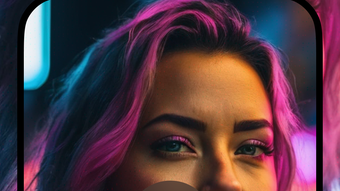

Download Magic AI Video Art Generator – AI Video Creation, Creative Tools, iPhone App
Overview
Magic AI Video Art Generator is a desktop application designed to transform text prompts into visually compelling video content using artificial intelligence. The software enables users to generate dynamic video outputs in various artistic styles, including vibrant comics, captivating anime, immersive 3D, and cinematic effects. This tool is particularly suited for content creators, digital artists, and social media users seeking to produce engaging visual material quickly and efficiently.
The application operates on iPhone, offering a mobile-first experience tailored to on-the-go creativity. It allows users to input descriptive text and receive AI-generated videos that reflect their vision, making it ideal for personal projects, marketing content, or creative experimentation. The developer, Magic AI, positions the software as a platform for innovation, emphasizing regular updates and new style additions based on user feedback.
Real-world use cases include crafting eye-catching social media posts, designing promotional clips, or exploring artistic expression through AI-assisted video generation. While the developer did not provide additional details about advanced features or integration options, the core functionality centers on text-to-video conversion with a focus on visual quality and stylistic diversity. The software is designed for users who value speed, creativity, and modern digital aesthetics.
Key Features & Capabilities
- Text-to-Video Generation – Users can input descriptive text prompts to generate short video clips, enabling rapid prototyping of visual ideas without manual animation or video editing.
- Multiple Artistic Styles – The software supports diverse visual formats such as comic book, anime, 3D render, and cinematic effects, allowing users to match their content to specific audiences or platforms.
- One-Tap Sharing – Generated videos can be exported and shared directly to social media platforms, streamlining the content distribution process.
- Regular Updates – The developer commits to ongoing improvements, introducing new styles, formats, and features based on user input, ensuring the tool evolves with creative trends.
- Mobile-First Design – Built specifically for iPhone, the application leverages mobile hardware to deliver responsive performance and intuitive touch-based controls.
These features empower users to create professional-grade visual content with minimal effort. For example, a social media manager could generate a series of animated posts in anime style for a new campaign, while an artist might experiment with 3D effects to visualize a story concept. The integration of AI-driven generation reduces the time and skill barrier typically associated with video production, making advanced visual storytelling accessible to non-experts.
User Interface, Workflow & Performance
The user interface of Magic AI Video Art Generator is designed for simplicity and efficiency, prioritizing intuitive navigation on the iPhone’s touchscreen. Users begin by entering a text prompt in a dedicated input field, followed by selecting a desired style from a curated menu. Once configured, the generation process initiates with a single tap, minimizing steps and reducing cognitive load.
Workflow efficiency is enhanced by the streamlined process from concept to output. After generation, videos are displayed in a preview window with options to share or save locally. The interface appears responsive, with visual feedback during processing, although exact performance details were not specified. The developer did not provide additional system requirements or resource usage metrics.
Performance observations are based on general software behavior patterns. Given the application’s reliance on AI processing, it may utilize significant CPU and memory resources during video generation, especially for complex prompts or higher-resolution outputs. However, the exact impact on device performance remains unverified. Stability during extended use or multiple generations was not disclosed. The application’s mobile nature suggests optimized performance for iPhone hardware, but real-world behavior may vary depending on device model and background activity.
Compatibility & System Requirements
Magic AI Video Art Generator is compatible with iPhone devices, as specified by the developer. The software is designed to run on the iOS operating system, though the exact version range is not provided. Installation requires 250.6 MB of disk space, which is typical for a feature-rich mobile application with embedded AI models.
Hardware requirements were not listed by the developer. However, the application’s AI-driven functionality suggests it may benefit from devices with modern processors and sufficient RAM to handle real-time inference tasks. The developer did not specify minimum or recommended hardware configurations. Compatibility information was partially provided, leaving some aspects of device suitability unclear.
Users should ensure their iPhone meets general iOS standards for running modern applications. The software does not appear to support other platforms such as Mac or Windows. For users relying on desktop workflows, this limitation may affect integration with broader creative pipelines.
Pros and Cons
Pros
- Effortless text-to-video conversion using AI technology
- Supports multiple artistic styles for diverse creative output
- One-tap sharing to social media platforms
- Designed for intuitive use on iPhone with touch-friendly interface
- Regular updates with new styles and features based on user feedback
Cons
- Platform limited to iPhone; no support for Mac or Windows
- Exact system requirements and performance metrics not disclosed
- Price point of $2.99 may be considered high for a mobile app with limited functionality
- No information on offline capabilities or cloud integration
- Resource usage during generation not specified
FAQ Section
Is Magic AI Video Art Generator available for Mac or Windows?
The software is currently designed exclusively for iPhone. There is no official support for Mac or Windows operating systems.
Is the app secure to use?
As a mobile application distributed through official channels, Magic AI Video Art Generator is expected to comply with standard security practices. However, specific security measures were not detailed by the developer.
How often are updates released?
The developer states that new styles, formats, and features are introduced regularly based on user feedback. The frequency of updates may vary.
What type of license does the app use?
Based on the pricing model, the software operates under a one-time purchase license. No subscription or in-app purchase details were provided.
Can I use the app offline?
Information regarding offline functionality was not provided. The app may require an internet connection for AI processing or content generation.
Final Thoughts
Magic AI Video Art Generator presents a compelling solution for iPhone users seeking to generate creative video content from text prompts. Its ability to produce stylized videos across multiple artistic formats makes it a valuable tool for social media creators, digital artists, and hobbyists. The mobile-first design ensures accessibility and ease of use, while the commitment to regular updates suggests a forward-looking development approach.
Despite its limitations—such as platform exclusivity and lack of detailed system information—the software delivers on its core promise: fast, AI-powered video creation. For users already invested in the iPhone ecosystem and looking to enhance their content with dynamic visuals, Magic AI Video Art Generator offers a convenient and innovative path forward.
Download Magic AI Video Art Generator now







